-
×
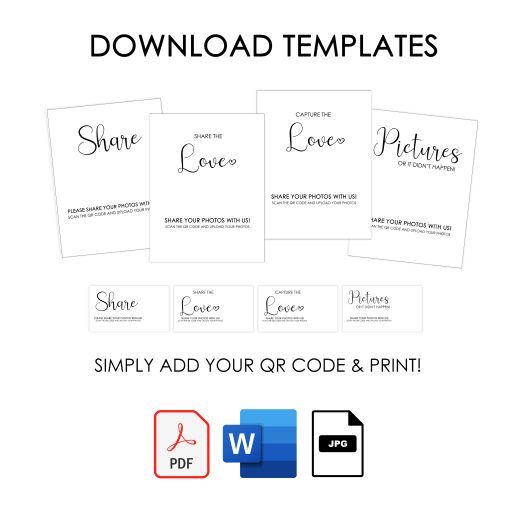 Free Downloadable Event Templates
1 × $0.00
Free Downloadable Event Templates
1 × $0.00
FAQS
Before You Begin Your Journey Down Memory Lane Please read the FAQs carefully to understand how Enter Memory Lane QR photo sharing events work.Pricing & Plans FAQs
What types of events should I use this for?
Everything where you want to capture guest photos & memories! From a small birthday party, to a retirement party, baby shower, celebration of life, or even corporate events and brand activations—Enter Memory Lane is a beautiful way for guests to easily upload and share their photos through your event’s QR code or link.
💍 Weddings • 🎂 Birthdays • 🎓 Graduations • 💕 Anniversaries 🎄 Holidays • ✈️ Vacations • 🏢 Corporate Events • 🎵 Concerts • 🏟️ Sporting Events • 🌸 Bridal Showers • 🕊️ Funerals & Celebrations of Life • 👣 Baby Showers • 👨👩👧👦 Reunions • and more
What if my event is already over?
It’s not too late! 🎉 You can still collect photos and videos from your guests. Simply share your event link or QR code with them after the event, and they can upload the memories they captured straight to your gallery. It’s a wonderful way to relive the moments you may have missed!
What is your pricing?
We offer four pricing levels designed for every type of event — from intimate gatherings to large corporate celebrations.
You can view our current pricing and details here: https://EnterMemoryLane.com/pricing/
When will I receive my QR code and event page?
We carefully set up and test each event before sending. Please allow up to 48 hours (unless you purchase the 24 hour or 12 hour upgrade) to receive your event QR code and link by email.
What will I receive after ordering?
You’ll receive:
- A JPG QR code
- Your unique event link
- Live Slideshow Link
- Instructions and access to free templates
- Email reminder after the event to download your photos before they expire
Privacy & Access FAQs
Do I or my guests need an app to upload photos?
No app needed! Guests can instantly upload photos and videos by scanning your unique QR code using their phone’s camera or the event link.
Does this work anywhere in the world?
Yes! Enter Memory Lane works globally on all devices — phones, tablets, and computers. All your guests need is an internet connection and the event qr code or link.
Can I add a password so my event isn’t public?
Absolutely! You can add a password to your event so only guests with that password can view the event page or upload/download photos.
What if I only want guests to upload photos but not view or download them?
You can customize this! Event hosts can choose whether guests can only upload photos and videos, or also view and download shared content.
Can guests view and download each other’s photos and videos?
It depends on your settings. You can choose whether guests can only upload, or also view and download media.
What if a photo is uploaded that I don’t like?
As the event host, you can remove any group of photos that were uploaded together. (Individual photo deletion isn’t available yet, only in groups.)
Uploads & Downloads FAQs
How many photos can guests upload?
Guests can upload as many photos as they want, up to 15 at a time. They can also include their name and a short note with their upload.
Is there a delay before photos appear on the event page?
Nope! Photos appear instantly after they’re uploaded.
How long can we upload photos?
Guests can upload photos for up to 30 days after your event.
How long can we download photos?
The event host will receive a download link after the event ends. Hosts can download photos for up to 90 days, and guests (if allowed) can view and download on the QR/link event gallery page for 30 days after upload.
Can I see our photos in a slideshow?
Yes! You’ll receive a slideshow link that can be displayed during or after your event for everyone to enjoy. You will need internet access as it is a live feed of photos that are uploaded.
Technical Info for viewing the slideshow
The Enter Memory Lane Slideshow lets you display all photos and videos uploaded by your guests — live, as they’re shared! It’s a beautiful way to bring your event to life in real time, perfect for weddings, birthdays, corporate events, and more.
Your Slideshow link works on any modern web browser and can be displayed on TVs, projectors, or monitors — no special software or app needed.
How to Display Your Slideshow
What You’ll Need:
-
A TV, projector, or screen with internet access
-
A device (laptop, tablet, or phone) that can open a web browser
-
Your unique slideshow link (included in your event setup email)
Ways to Display:
-
HDMI Cable – Connect your laptop to a TV or projector and open the slideshow link in your browser.
-
Smart TV – Use the built-in web browser, type in your slideshow link, and hit Enter.
-
Chromecast – From Chrome, click the three-dot menu → “Cast” → choose your device.
-
Apple TV (AirPlay) – Open the link in Safari → tap AirPlay → select your Apple TV.
-
Amazon Fire TV Stick – Open the Silk Browser → enter your slideshow link → enjoy your live photo wall.
Always test your slideshow link on the device you plan to use before your event to ensure everything runs smoothly when it’s time to share your memories.
💡 Tip: If your event is at a venue, ask them to help you connect — they’ll likely have one of these options ready to go.
With Enter Memory Lane, every photo shared becomes part of the celebration — displayed instantly, beautifully, and effortlessly.
Templates, & Signs FAQs
Do you have free templates available?
Yes! Make sure to visit the FREE Templates page and add to your cart. You’ll get access to downloadable templates (JPG, PDF, or Word) for all event types — weddings, birthdays, retirements, corporate events, and more.
You’ll simply add your unique QR code after ordering.
Sizes include 8.5×11″ (resizable to 8×10″, 5×7″, or 4×6″) and business card size.
Are QR code stickers or signs available to purchase?
Yes! We offer several printed options if you’d like them shipped to you. Visit https://EnterMemoryLane.com/prints/ to see available options.
All sales are final once an order is placed. Please double-check your event details before completing your purchase. Please see our refund policy & terms pages.
Need Help FAQs
What if I have a question?
We’re always happy to help! Please reach out anytime through our Contact Form or email us at Stephanie@SavorTheMemories.com
Can I get a refund?
All sales are final once an order is placed. Please double-check your event details before completing your purchase. Please see our refund policy & terms pages.